Cases Created in CleanLink Portal |
  
|
Cases Created in CleanLink Portal |
|
Cases created in either the CleanLink Portal or the CleanLink Mobile app need to be managed in CleanLink Site Manager. Cases created in CleanLink Mobile will appear in the Cases page when the the device is synchronised and can be updated immediately, see Updating a Case for further details.
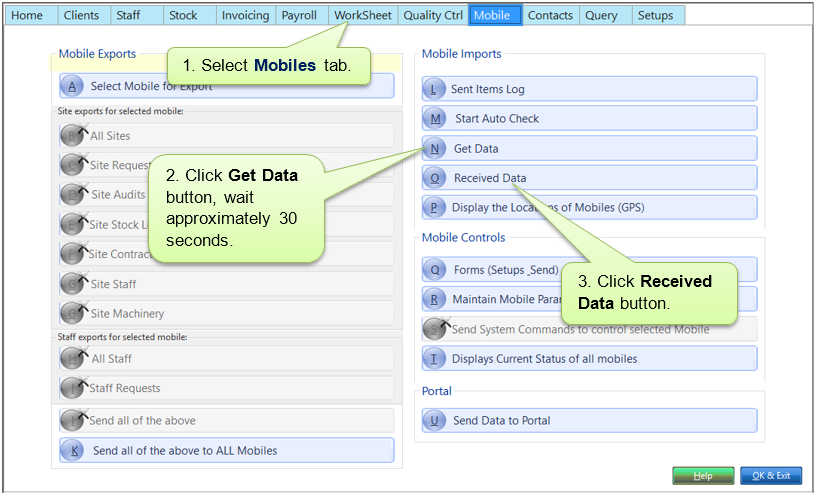
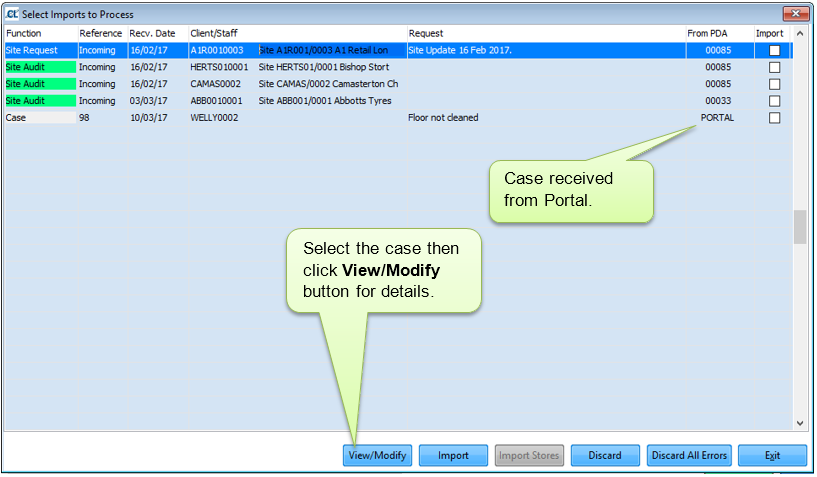
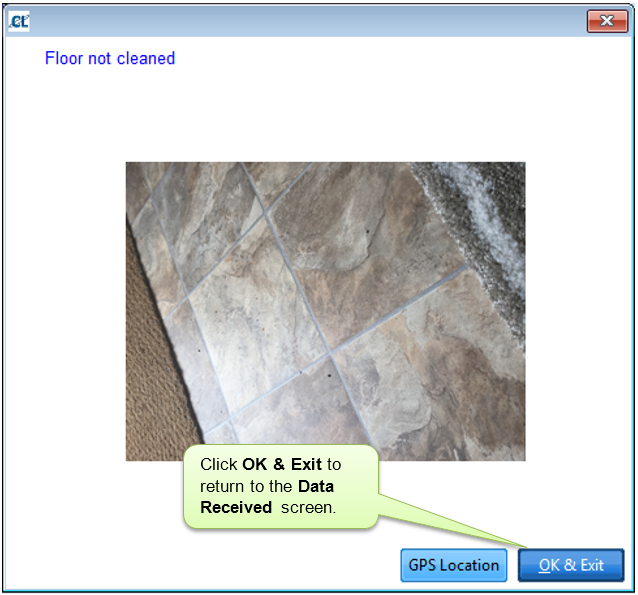
When a case is created in the CleanLink Portal it will appear in your O. Received Data accessed through the Mobiles tab.
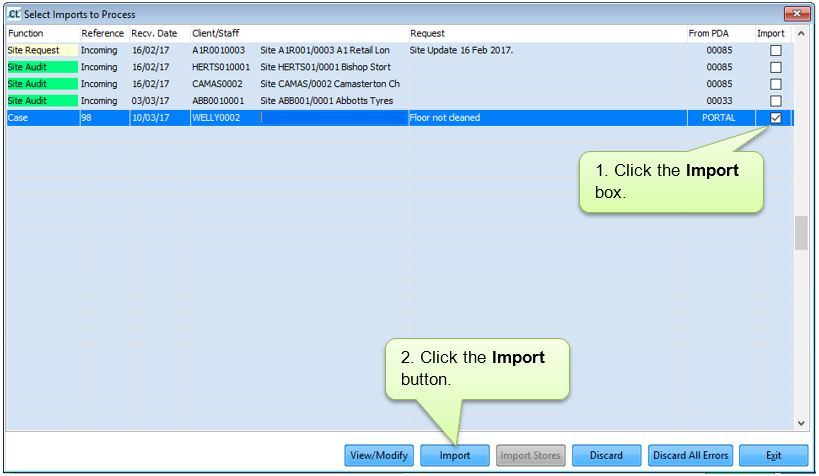
The case will now appear on the Cases page and can be updated. See Updating a Case for further details.