Setting up Invoice Cycles & Parameters |
  
|
Setting up Invoice Cycles & Parameters |
|
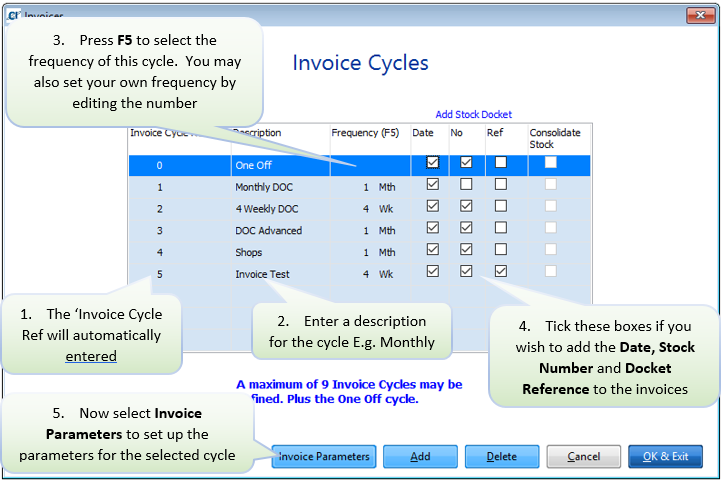
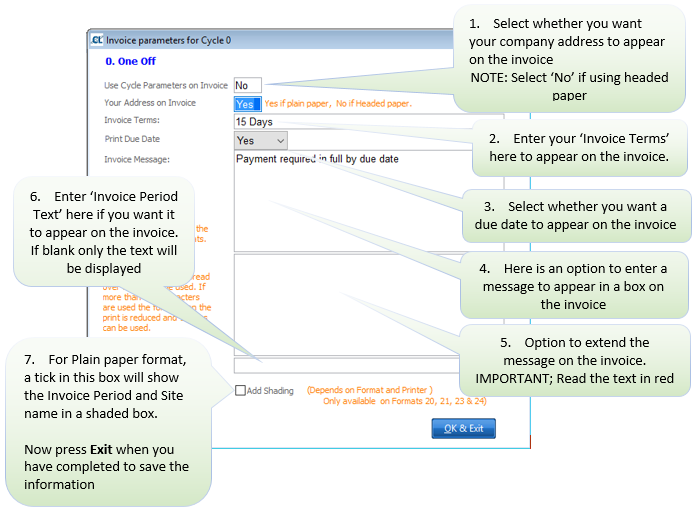
In order to set up Invoice Cycles, go to Setups > L. Invoice Cycles. To enter a cycle, select ‘Add' and then following the instructions below: