Importing New Staff |
  
|
Importing New Staff |
|
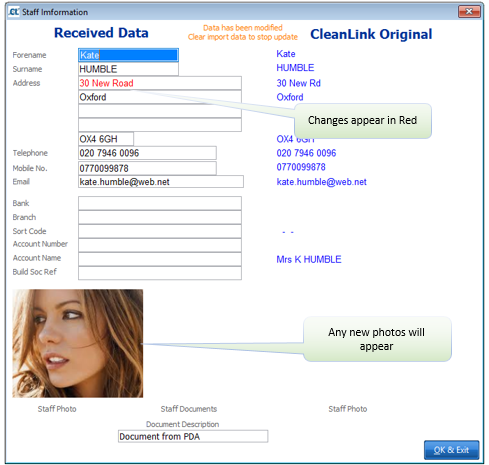
When new staff have been added to a site via a mobile it is possible to view/modify the data before importing that staff member’s details into Site Manager. If a photograph, proof of identity, address and right to work in the UK have been recorded that data will also be transferred and will appear in the Starter Info screen in the staff file.
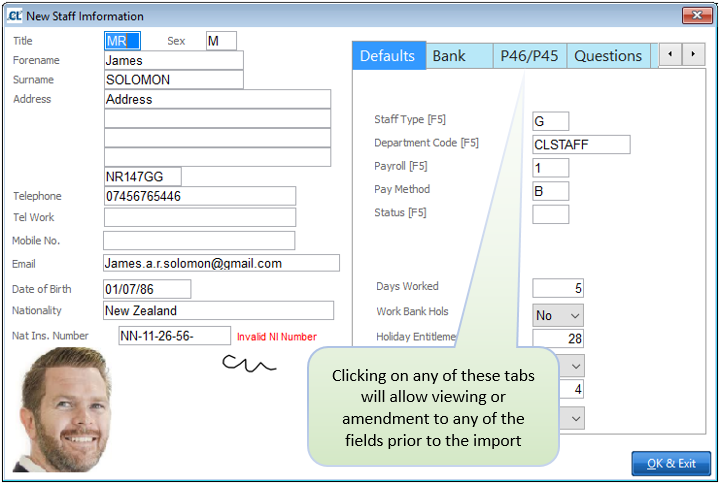
Any staff details amended on the mobile will appear in red and any photographs taken will show. They can be imported, if required, by clicking the import box in the normal way. The staff details in Site Manager will be updated.