Introduction to Payroll Functionality |
  
|
Introduction to Payroll Functionality |
|
You should have a basic understanding of Payroll to operate pay; a good starting place is http://www.hmrc.gov.uk/payerti/index.htm
As for Invoicing, Worksheets and Quality Control, CleanLink manages the Payroll function by using cycles. It is possible to have multiple payroll cycles within Cleanlink, for example a four-weekly Cleaners pay cycle, a Monthly head office salaries pay cycle and a fortnightly pay cycle for window cleaners.
The CleanLink Payroll Calendar has 4 different states:
‘Required’, ‘In Progress’, ‘Calculating’ and ‘Completed’
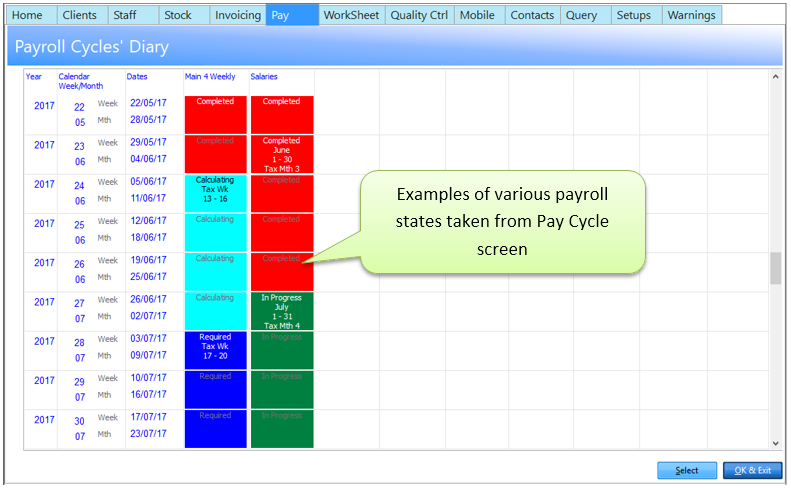
Required: When a cycle is Required nothing has been done and the cycle has not been opened. Once the Cycle is opened it becomes ’In Progress’.
In Progress: At this stage all the alterations you have made in ‘Regular Pay’ will be brought into the Open Cycle. NB: Any alterations made in ‘Regular Pay’ AFTER the cycle has been opened will NOT be reflected in ANY OPEN cycle. All payroll amendments are made while the cycle is In Progress. When all amendments have been made Calculate.
Calculating: The calculation of payroll has been performed. If static Staff Tax/SMP/SSP details change after the calculation has been made, right click and Jump to: Staff, change the necessary details on the TAX tab, and return to the Calculation and Recalculate. If you want to amend something else, reset the calculation, amend the figure and then re-calculate. At this stage the BACS, payslips and most reports can be run. A message of up to 150 characters can be added to all or individual payslips when printing.
Completed: This is the POINT OF NO RETURN. Once the cycle has been completed no alterations can be made. The pay has been processed and posted to History. All the period end reports can be run. All the YTD figures have been updated.