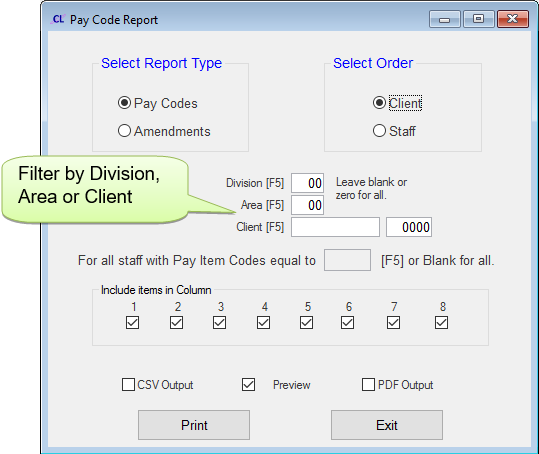
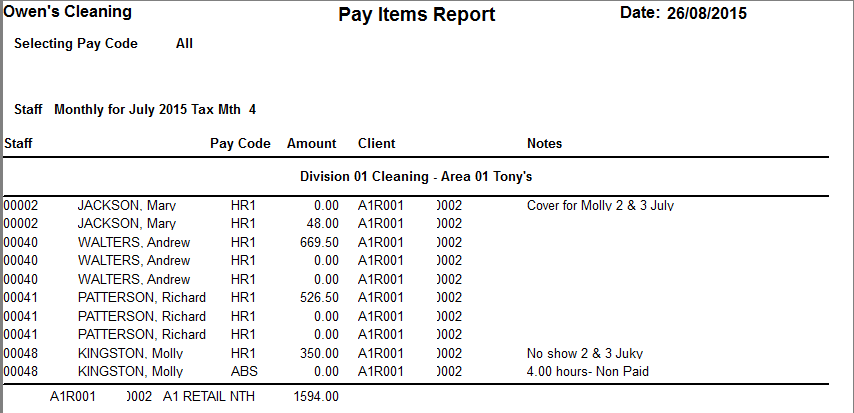
Pay Cycle Reports |
  
|
Pay Cycle Reports |
|
Go to Pay > A. Pay Cycles > 8. Reports
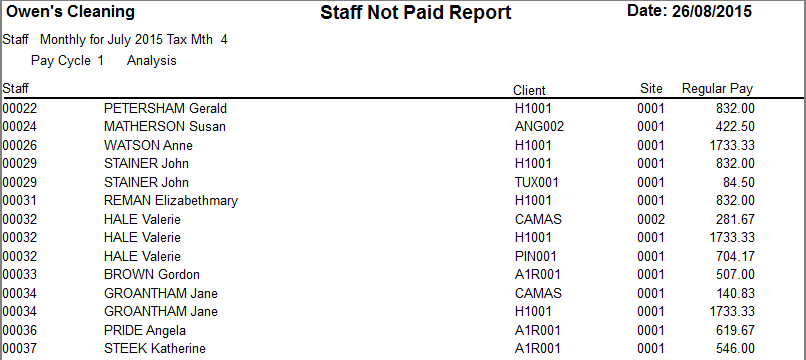
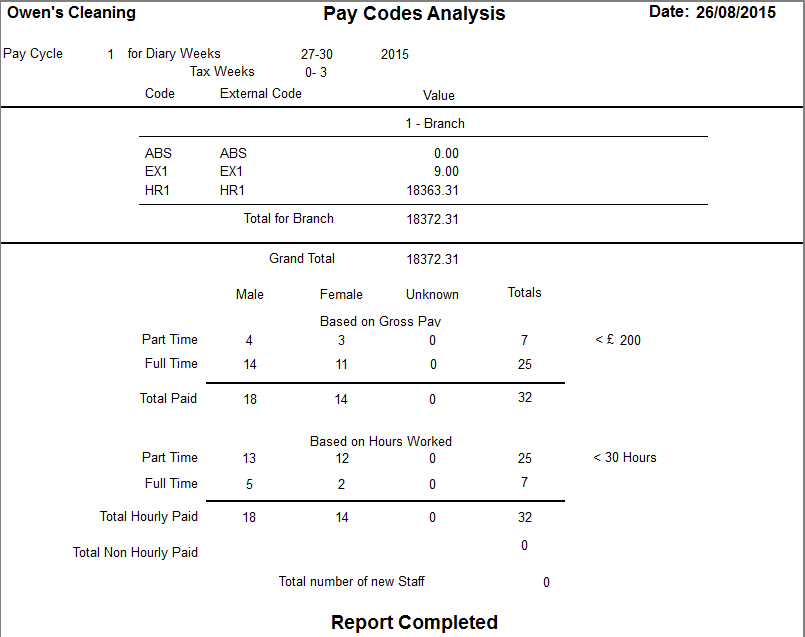
Click on a button for further details and an example of each report.
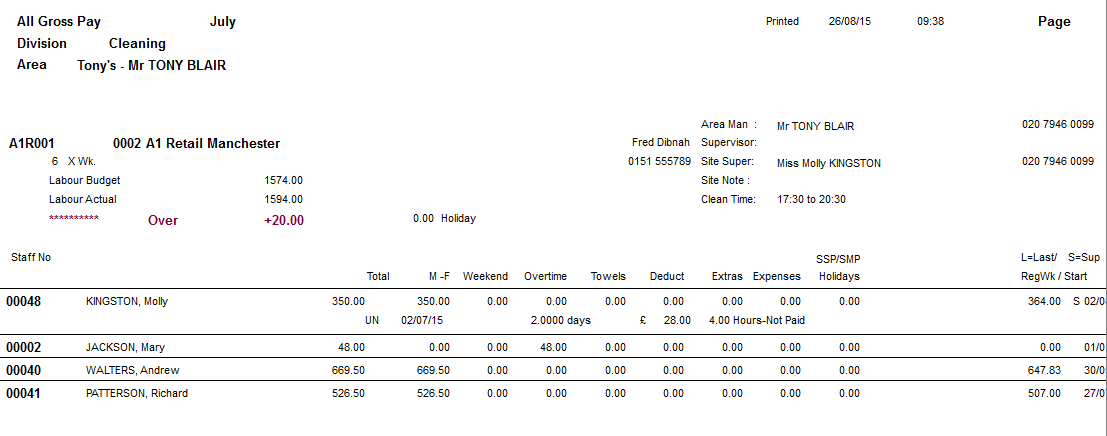
This report gives details of Labour Budgets and Actual Labour Costs for the current cycle.
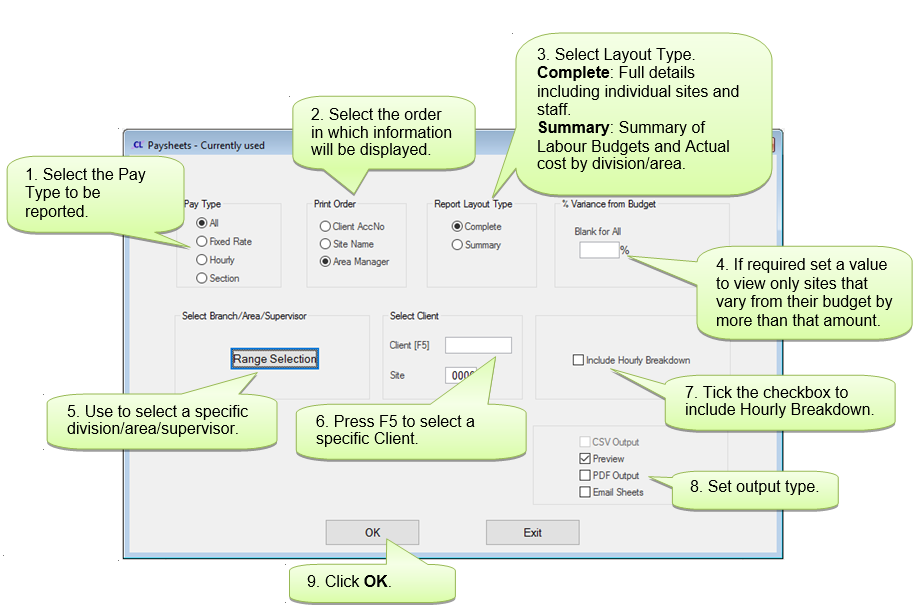
Example Report:
This report gives details of those sites where the Actual Labour Cost varies from the Labour Budget. The first screen lists all sites.
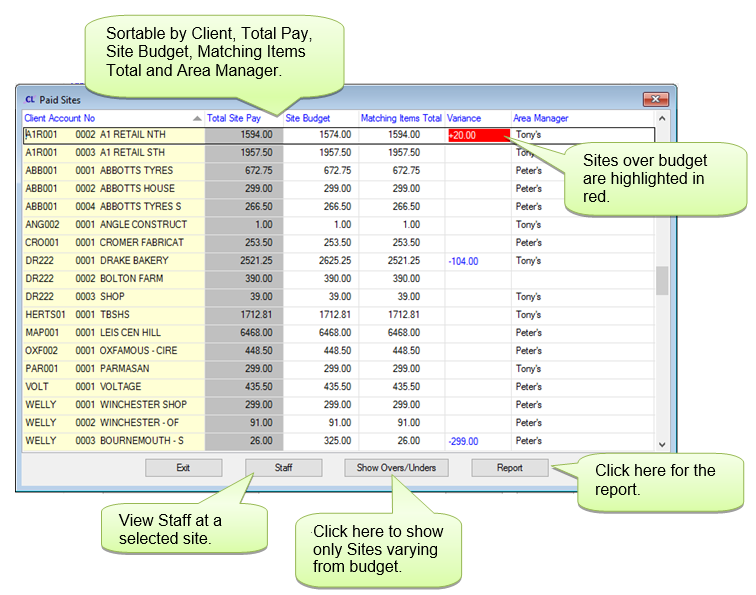
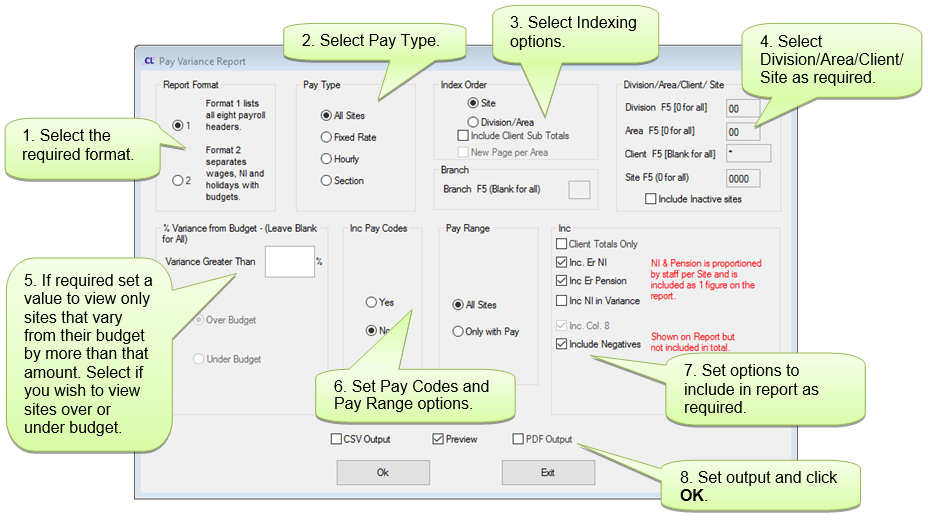
Clicking on Report will open the Pay Variance Report filter screen.
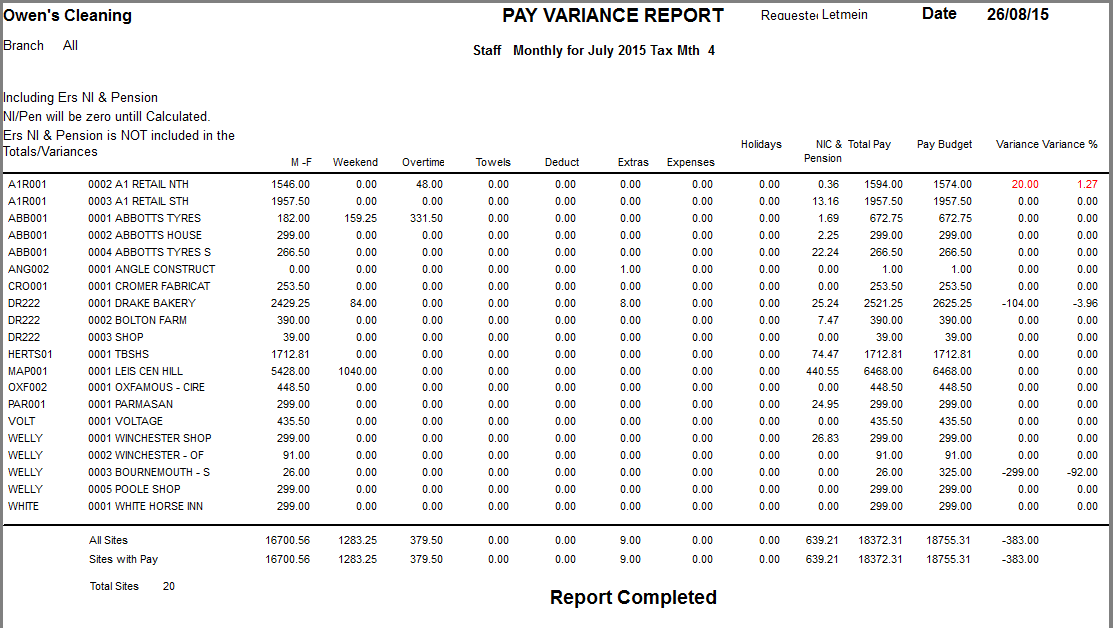
Example Report:
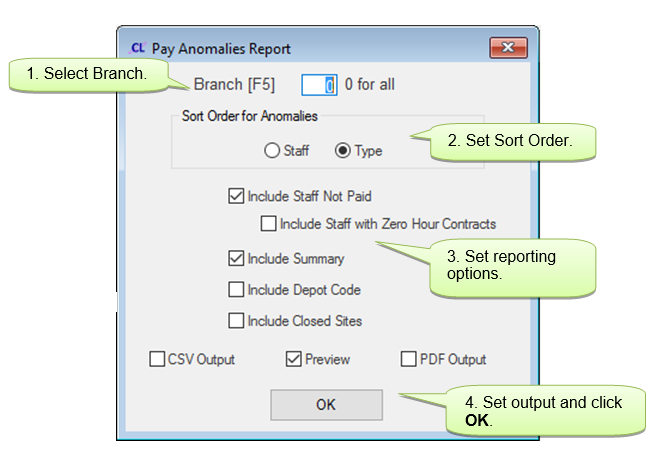
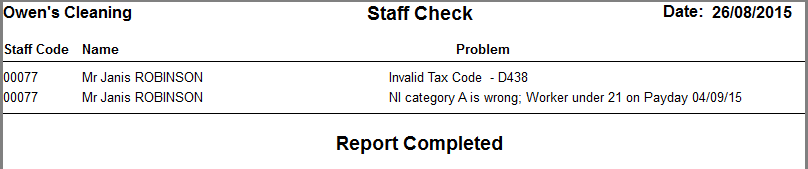
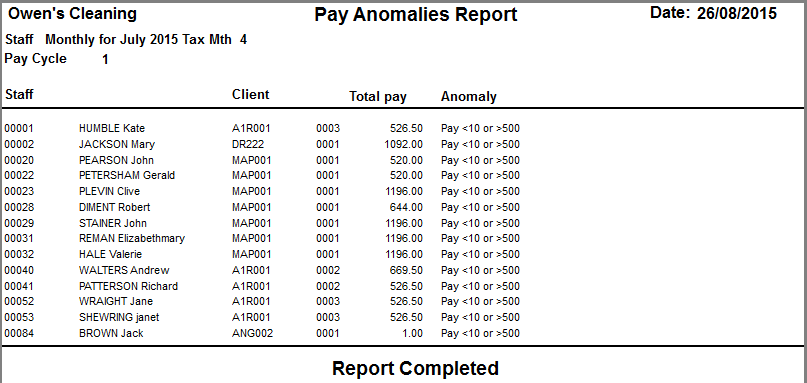
This report gives details of any anomalies that need to be rectified before completing a Pay Cycle such as invalid NI or tax codes. The report is automatically generated when a Payroll Cycle is Calculated.
Example Report:
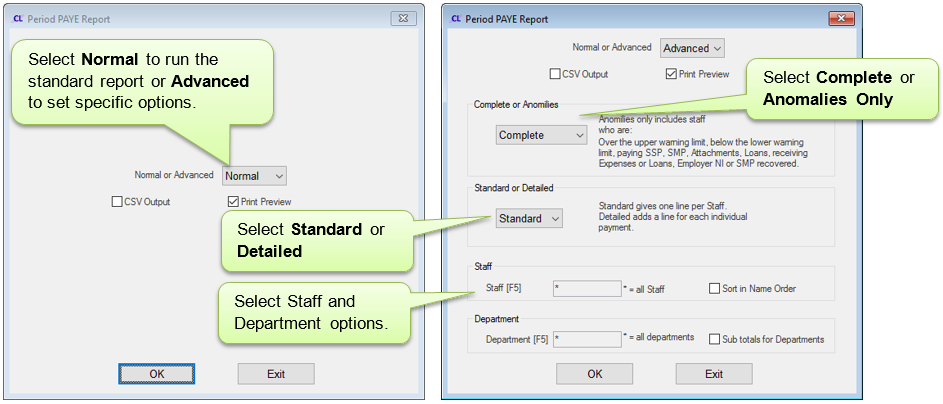
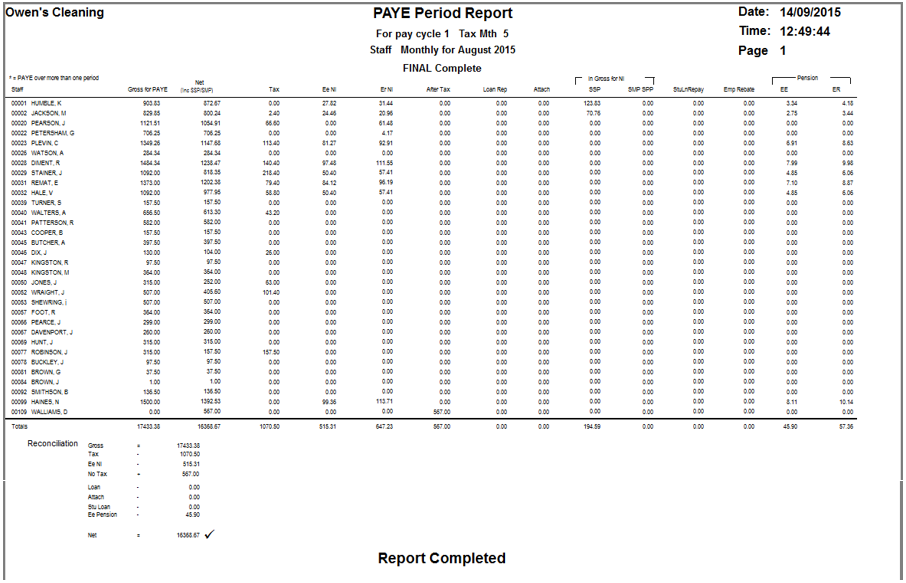
10. Workplace Pensions Exports
This creates a file to export to a pensions provider.
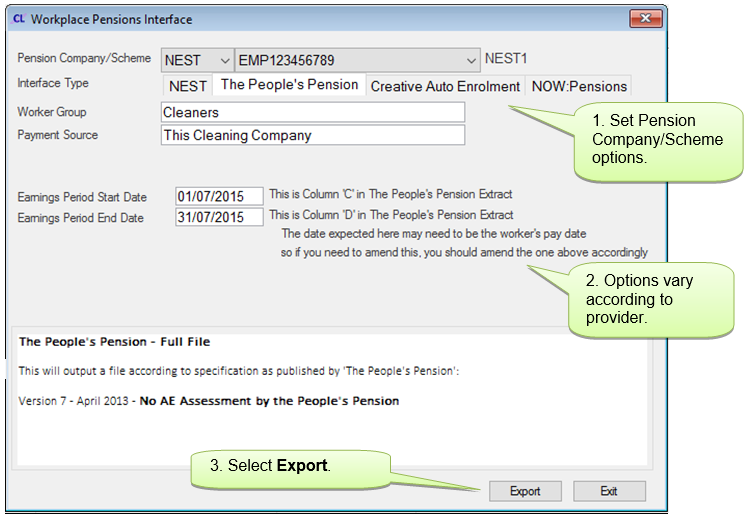
This will create files in your reports directory ready for export.
11. Workplace Pensions Reports
A. Staff with more than one job
B. Tax or NI first time
C. High/Low Paid