Receipts From Clients |
  
|
Receipts From Clients |
|
Receipts from Clients are processed through Invoicing > J. Post Receipt from Clients. There are three options; Individual Postings, Batch Posting and CSV Import.
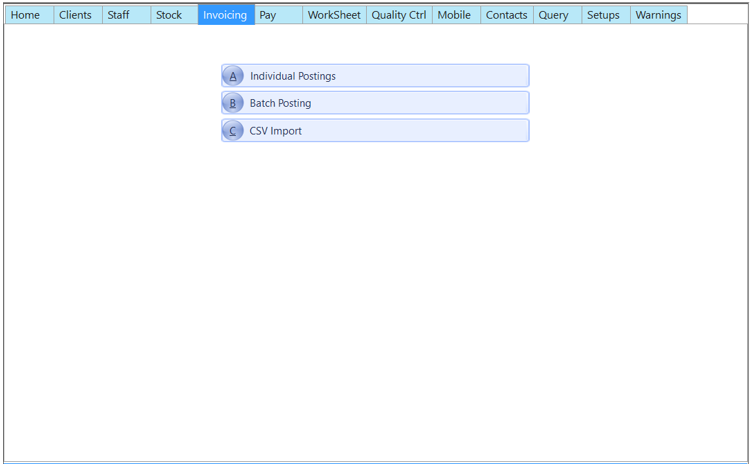
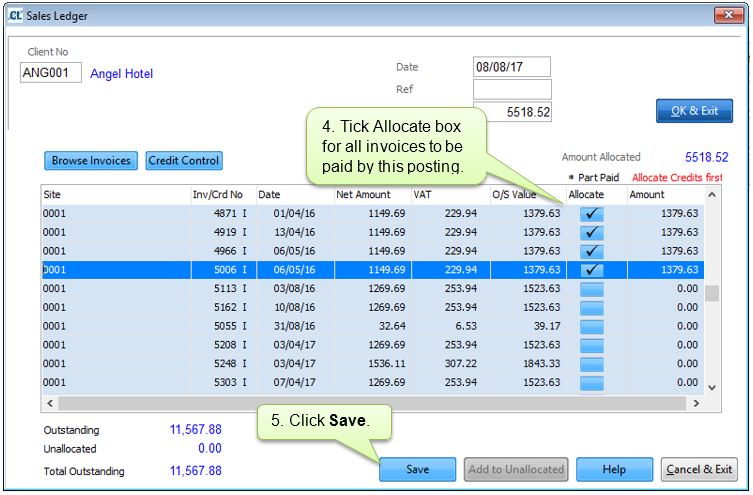
Use this option to post an individual receipt from a client, you can allocate the payment across multiple outstanding invoices. If you have received payment but do not have outstanding invoices you can add an amount to Unallocated for allocation at a later date.
Select Invoicing > Post Receipts from Clients > Individual Postings.
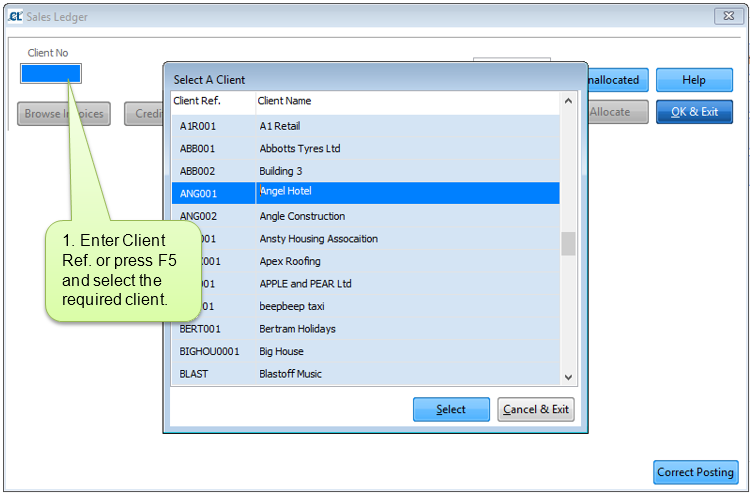
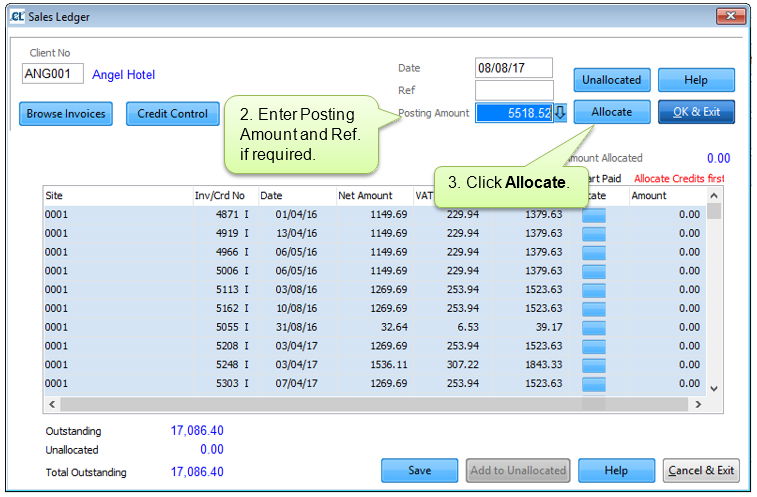
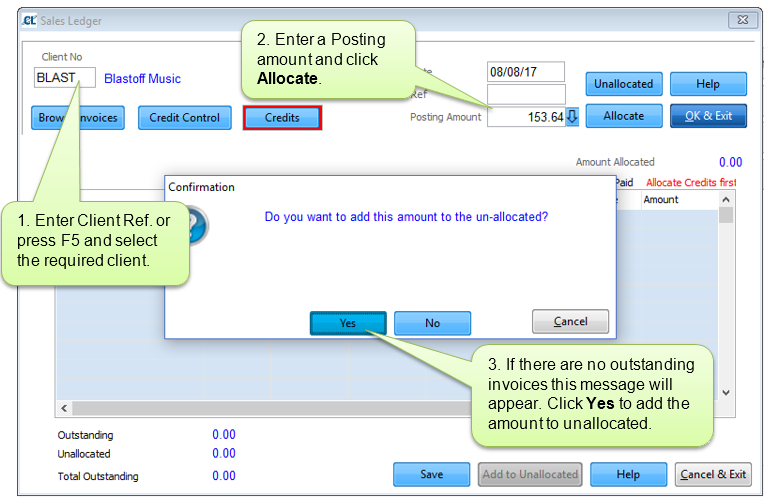
To post money received to an account with no outstanding invoices you will need to mark the funds as Unallocated. This will enable you to allocate the amount at a later date.
Select Invoicing > Post Receipts from Clients > Individual Postings.
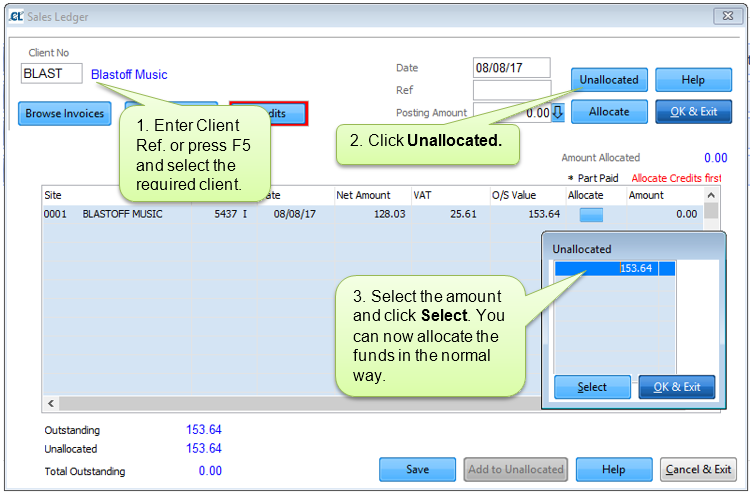
When an invoice is available the unallocated amount can be selected through the Unallocated button.
Select Invoicing > Post Receipts from Clients > Individual Postings.
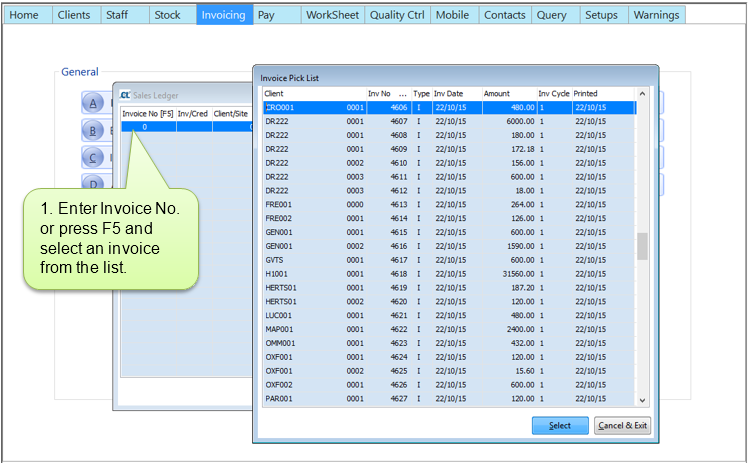
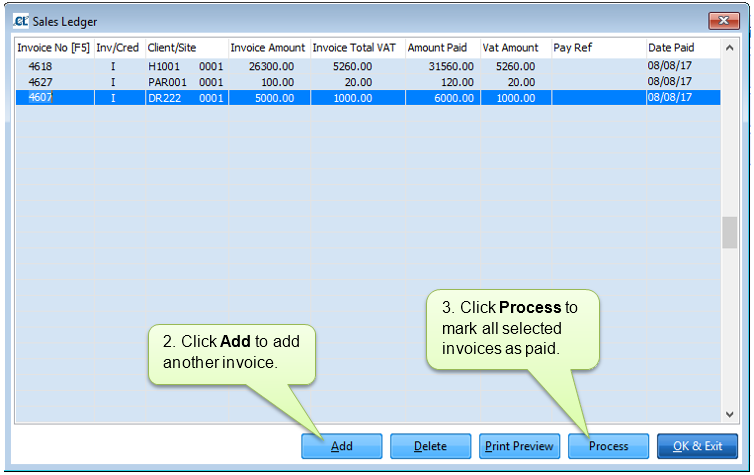
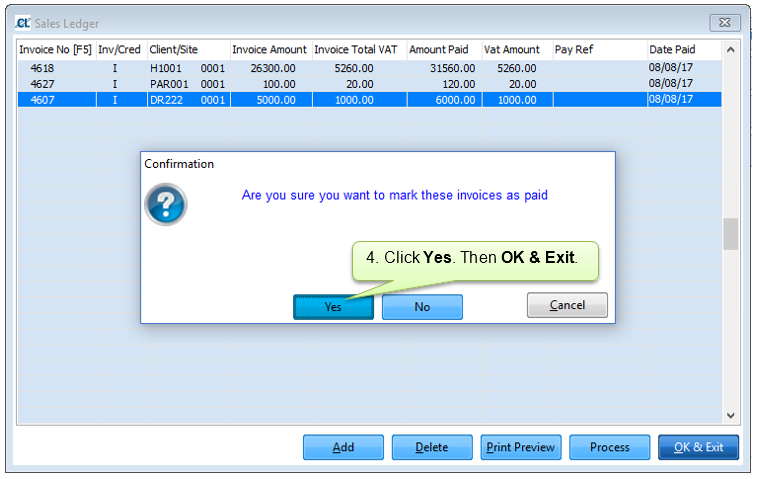
This option enables you to mark multiple invoices as paid.
Select Invoicing > Post Receipts from Clients > Batch Posting.
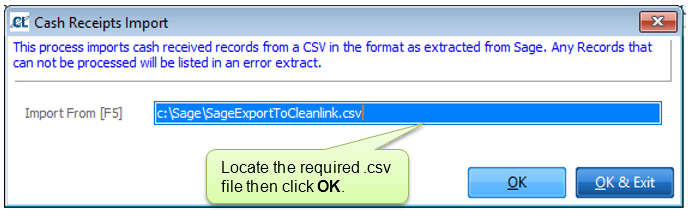
This option enables you to import cash received records from Sage. Locate the required file by pressing F5.