Exporting Payroll to Nominal |
  
|
Exporting Payroll to Nominal |
|
This new function consists of two stages: The setting up of nominal codes and the creation of the CSV export file.
This can be found by selecting Setups > 18.PAYE, NI & Staff Setups > Pay to Nominal Codes. The first time this is entered some default codes will be created.
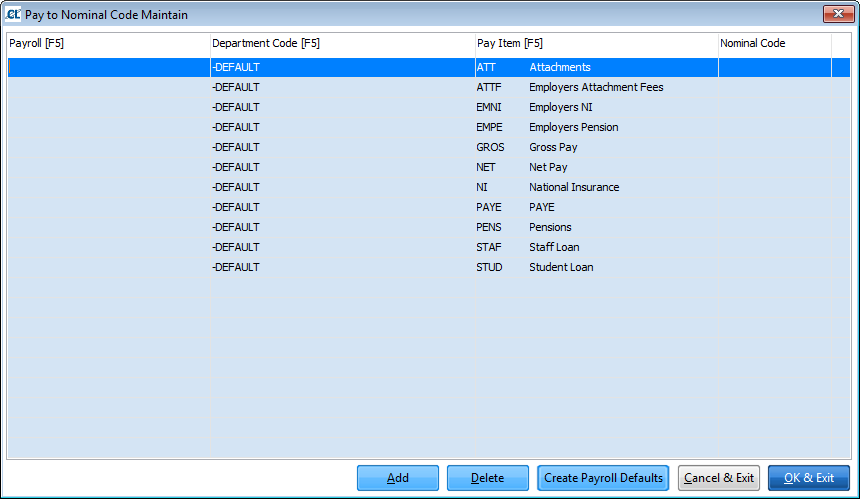
These codes must exist and have a nominal code before the postings program can run. For simple analysis it may not be necessary to create any more codes but if you want to analyse your payroll further it is possible to create different codes for each payroll by selecting Create Payroll Defaults and selecting the payroll. This will copy the 10 defaults as above for the selected payroll.
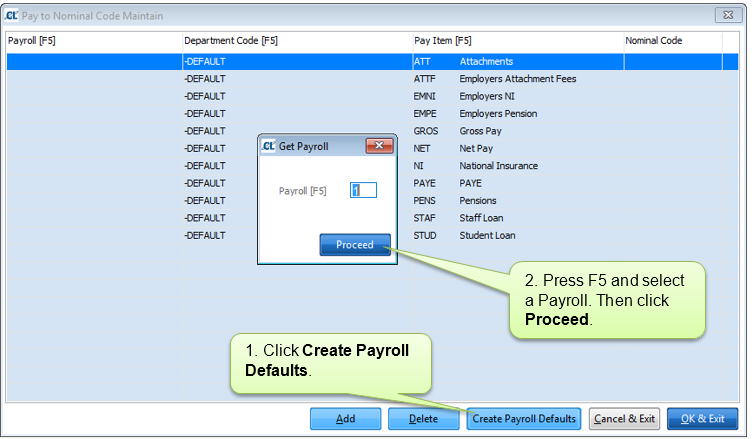
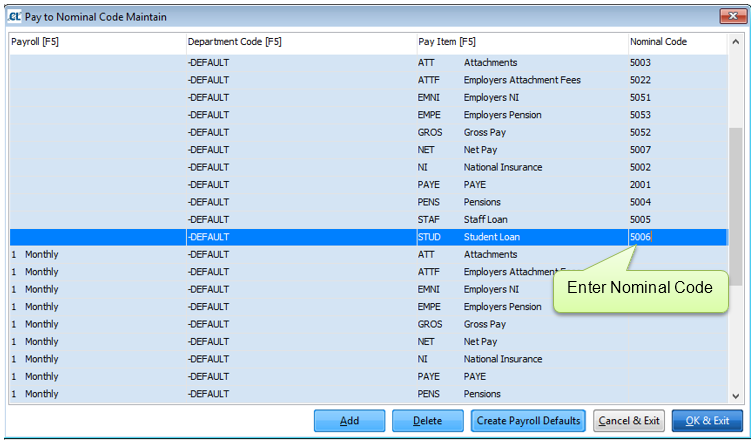
You can then enter different nominal codes for this payroll. If you only want to analyse certain items (for instance Gross Pay) separately then you can delete any other items for that payroll.
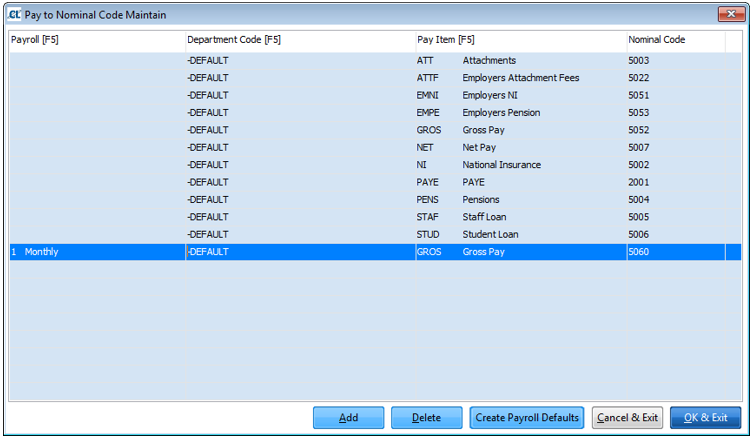
Similarly it is possible to analyse by department. In this case it is necessary to set up each item individually. This can be per pay cycle or for all Pay cycles, for example:
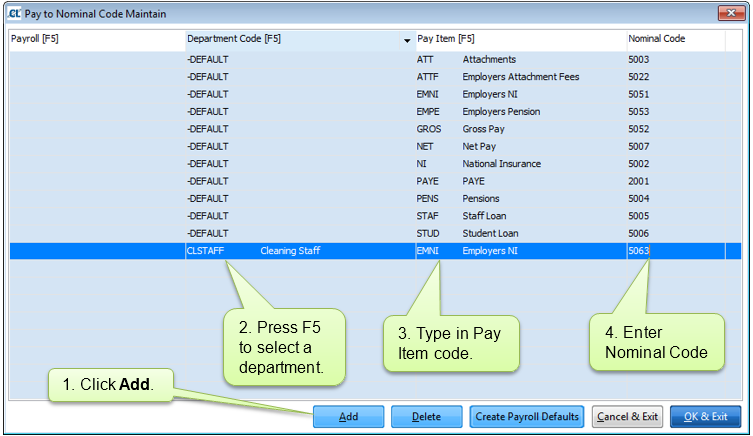
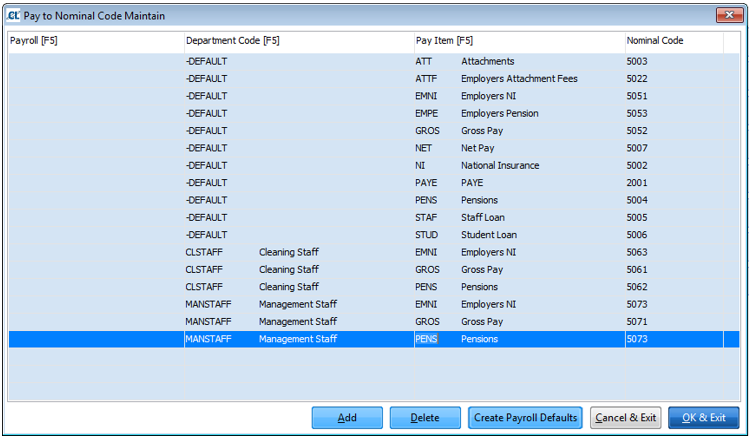
A further level of analysis is to break down the gross pay by payment item. This must be done at payroll and department.
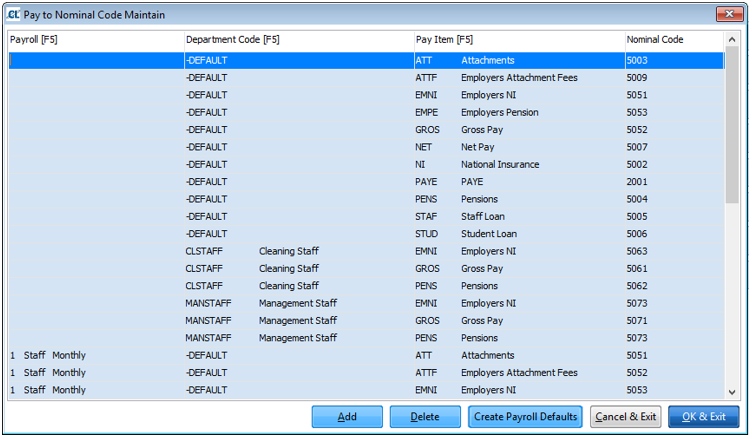
As can be seen from the above it is possible to create a very detailed nominal analysis or a very simple one.
Before this can be run it is necessary to create the nominal codes as above. If no default codes exist, or they do not have a nominal code it is not possible to run this program, an error message will be output and the program terminated. Also if any of the other items do not have a nominal code this process will not run.
The posting program will scan the payroll data and create a posting record for each nominal code it finds. To help understand which nominal code will be used look at the tables below.
For the default codes the lookup sequence is:
1) Payroll, Department, Default code (i.e. PAYE, NI)
2) Department Code, Default Code
3) Payroll, Default Code
4) Default Code
For the gross pay items the sequence is:
1) Payroll, Department, Pay Item Code (i.e. REG, BAS)
2) Payroll, Pay Item Code
3) Payroll, Department, Default code - GROS
4) Department Code, Default Code
5) Payroll, Default Code
6) Default Code
The CSV file is created according to your accounts type, currently only 2 accounts packages are supported, Sage and Opera.